How to Download and Install the JLJL22 App on Android and iOS

Preparation Before Downloading
Before you begin installing the JLJL22 App, make sure your device is ready. This will save you time and prevent common installation errors.
- Check device compatibility:
- Android: Requires Android 7.0 or higher. Most modern smartphones and tablets are supported.
- iOS: Needs iOS 12.0 or later. Compatible with iPhone, iPad, and iPod Touch models from 2017 onward.
- Ensure your device has at least 150MB of free storage space for smooth installation.
- Stable internet connection:
- A minimum connection speed of 5 Mbps is recommended for downloading the app securely.
- Prefer WiFi over mobile data to prevent interruptions and avoid unexpected charges.
- Allowing app downloads from unknown sources (Android only):
- This setting lets you install applications outside the Google Play Store.
- Go to Settings > Security > Install unknown apps > Choose your browser > Enable ‘Allow from this source’.
- After installation, disable this option to keep your device secure.
Official Sources and Download Links
Always use official sources to download the JLJL22 App to guarantee security and authenticity.
- Navigating to the official JLJL22 website:
- Visit https://jljl22.net.ph/ for the original app.
- Look for the prominent download section or app banner near the top of the homepage.
- Avoiding scam or unofficial download links:
- Never download from third-party sites, as these can contain malware or fake apps.
- Phishing sites may look similar but often have misspelled URLs, poor design, or pop-up ads.
- Verifying authenticity:
- Check for the PAGCOR logo and licensing information at the website’s footer.
- Look for SSL (https://) and trust badges. JLJL22’s official social media channels also share the correct download links.

Step-by-Step Download Instructions for Android
Downloading the JLJL22 App on Android is straightforward if you follow these steps:
- Locate the APK file: Visit the JLJL22 website and tap the download button for Android. The APK file is around 80MB and is clearly labeled with the current version.
- Download the APK safely: Tap ‘Download’ and wait for the file to finish downloading. You’ll see a progress bar at the bottom of your screen.
- Enable “Install from Unknown Sources”: Open Settings > Apps & notifications > Special app access > Install unknown apps > Choose your browser > Turn on “Allow from this source”.
- Install the APK:
- Tap the downloaded file in your notification bar or Downloads folder. Select ‘Install’ and follow the prompts.
- Grant permissions for storage, location, and notifications. These are necessary for app functionality and security.
- First-time app launch and permissions:
- Open the JLJL22 App, log in, or create a new account using your phone number or email.
- The app may request additional permissions for optimal performance. Allow these as prompted.
Step-by-Step Download Instructions for iOS
iOS users can also enjoy JLJL22, but the installation process varies depending on App Store availability.
- Downloading via official site or App Store:
- If available on the PH App Store, search for “JLJL22” and tap ‘Get’.
- If not, download directly from the official JLJL22 site, following the provided guide.
- Handling installation prompts and permissions: Accept all installation prompts. The app may request access to notifications and location for enhanced gaming and security.
- Trusting Enterprise Developer profiles (if sideloaded):
- Go to Settings > General > Device Management. Select the developer profile and tap ‘Trust’.
- This is required for sideloaded or enterprise apps. Always verify you’re trusting “JLJL22 Official”.
- First-time setup and login: Open the JLJL22 App, review the welcome screens, and log in or register as a new player.
Troubleshooting Common Installation Issues
Encountering issues during installation is common, but most problems have easy solutions:
- Fixing “App Not Installed” errors: Check device compatibility and available storage. Clear the Google Play cache, free up space, and re-download the APK if needed.
- Resolving security warnings: Respond to prompts by confirming the app source. If you’re unsure, stop and verify the download link.
- What to do if the download fails: Check your internet connection and try switching from mobile data to WiFi. Try a different browser or device if the problem persists.
- Contacting JLJL22 support for persistent issues:
- Contact us via live chat on our website, email at [email protected], or call (+63) 9172154912.
- Provide your device model, OS version, error messages, and screenshots for faster assistance.
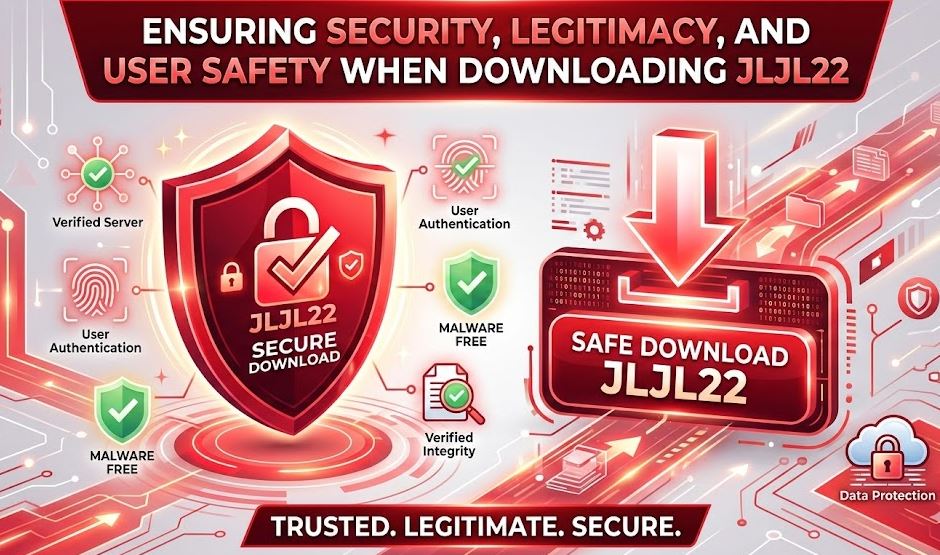
Ensuring Security, Legitimacy, and User Safety When Downloading JLJL22
Verifying App Authenticity and Legality
Your safety is our top priority at JLJL22. Here’s how to confirm you’re always using the legitimate app:
- How to confirm you’re using the official JLJL22 app:
- Check for consistent branding, logo, and the developer name: “JLJL22 Official”.
- Only download from our official website or trusted sources mentioned on our social media.
- Checking for PAGCOR license and legal compliance:
- PAGCOR licensing details are displayed at the bottom of our site and in the app’s ‘About’ section.
- This guarantees that JLJL22 operates legally and fairly for Filipino players.
- Recognizing warning signs of fake or malicious apps:
- Be wary of apps that request unnecessary access to your contacts or files.
- If the app has no reviews or mostly negative feedback, avoid installing it.
- Always compare the logo and color scheme with the official JLJL22 branding.
Security Best Practices
Follow these tips to keep your device and account safe while enjoying the JLJL22 App:
- Downloading updates and patches from trusted sources:
- Update only through the app’s official update prompt or by downloading the latest APK from our website.
- Never accept update links from unofficial sources or pop-ups.
- Keeping your device OS up to date: Regular system updates improve security. Check for updates in your device settings and install them promptly.
- Protecting your account credentials:
- Choose a strong, unique password and never reuse it elsewhere.
- Enable two-factor authentication if available for extra protection.
- Keep your login details private, even from friends and family.
- Using secure internet connections during download and use: Always use a private WiFi network when downloading the JLJL22 App. Public WiFi can expose your data to hackers.
User Support and Ongoing Maintenance
JLJL22 offers continued support to keep your gaming experience smooth and safe:
- Where to find official customer support or FAQs: Access support directly from the app or via our website’s help center. Only trust official JLJL22 communication channels.
- How to update the JLJL22 app safely: Accept in-app prompts for updates. Alternatively, check the official site for the latest APK or iOS version.
- What to do if you suspect a security issue: If you notice unusual login attempts or changes to your account, update your password immediately and contact our support team.
- Reporting suspicious activity or app problems:
- Contact us via live chat, email, or hotline. Include your username, device info, and a description of the issue for a swift response.
- We take every report seriously to protect our community.
Conclusion
JLJL22 App – Detailed instructions on how to download the application have been outlined to ensure your download is safe, legitimate, and efficient on both Android and iOS. Always use official sources, follow security best practices, and stay updated to enjoy a reliable, secure, and responsible online gaming experience with JLJL22.